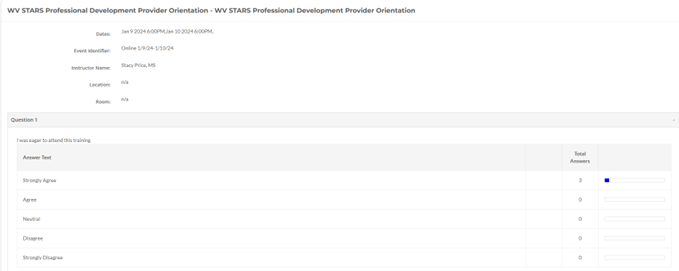
You can view evaluation answers for courses you own/have access to by running the "Scheduled Event Survey Summary Report". This report will show you the questions and answers for the evaluation, and information presented can vary depending on the evaluation attached to the course. You can also view multiple events at once.
In the report, session information will be listed at top, with the training session's name, date, instructor, and location, along with the question name and answer choices. Question Displays will vary depending on the type of question used.
The first example below is a Number (Likert) Scale question, in which there are 5 answer choices. You can view how many people selected each answer and view a bar graph to the side for visual representation. The next example includes "Free Text", which can include anything the participants typed into the provided textbox.
WVECTCR Funding Information - TCR-ECE is supported by federal funding passed through the West Virginia Department of Human Services: Federal award amount: $4,727,547 (99.9% of program budget) State award amount: $5,122 (0.1%). TCR-OMCFH is supported by state funding through the West Virginia Department of Health. TCR-HV is supported by federal funding passed through the West Virginia Department of Health: Federal award amount: $225,000 (100% of program budget) State award amount: $0 (0%).